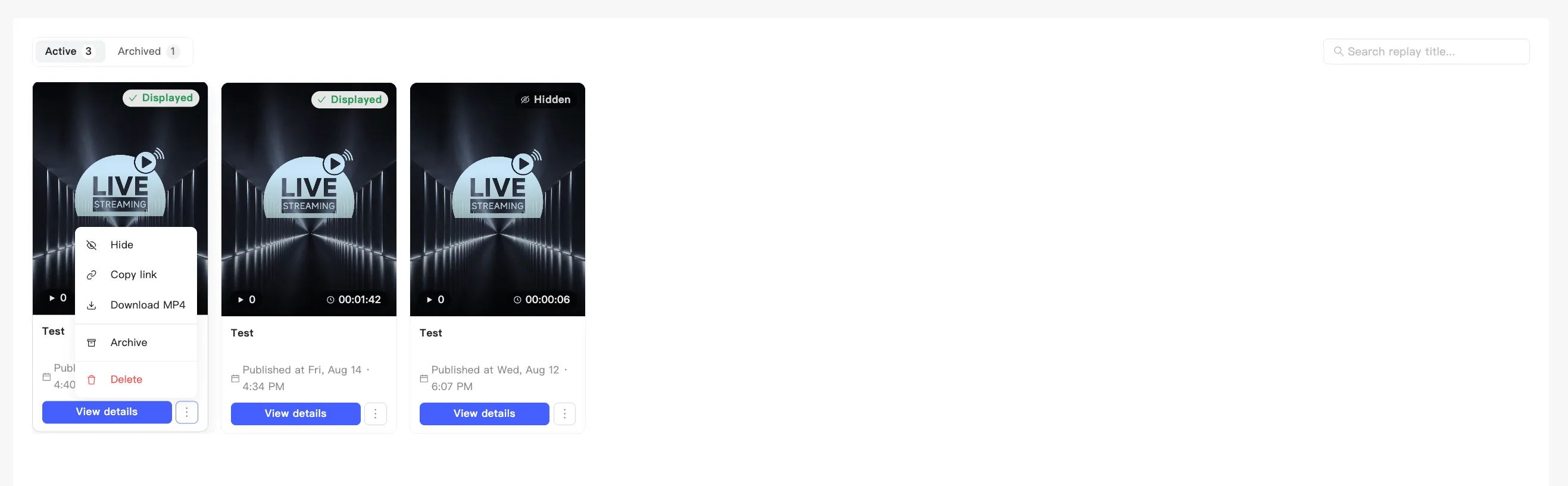
Show or hide a replay
This controls whether a replay appears on your live shopping page. Turn it off and shoppers browsing your store will not find it, but the direct link keeps working. Anyone holding the link can still open it.
- Open the replays page and find the replay.
- Open the card menu.
- Choose Hide or Show.
- A confirmation appears and the cover badge switches to Hidden or Displayed.
Hiding is not the same as making it private. To put a replay out of reach entirely, delete it. See Delete a replay.