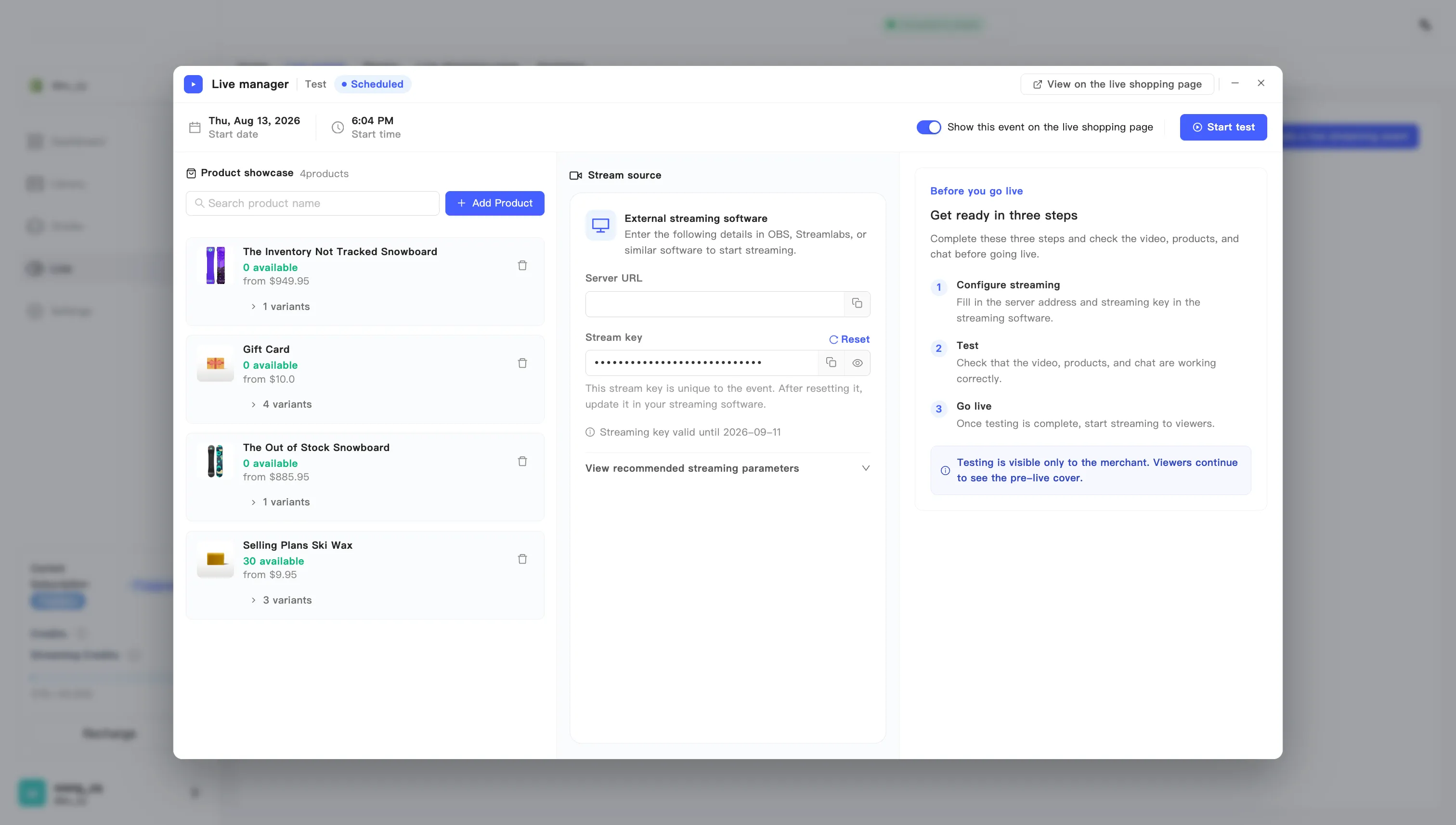
Stream with OBS or another encoder
MaxxShow does not ship a streaming tool. Your video comes from your own encoder, and the live manager hands you the address and key it needs.
- Open the live manager for this event. Two ways in: the next-broadcast card on the home page, or Open live manager on the event editing page.
- Find Stream source and pick External streaming software.
- Copy the Server URL into your encoder’s server field.
- Copy the Stream key into your encoder’s stream key field. The key is masked by default. Click the eye icon to reveal it and check what you pasted.
- Set your encoder to the values in Recommended streaming settings. The live manager lists the same table under View recommended streaming parameters.
- Start streaming from your encoder. Your video appears in the manager on its own once the stream arrives.